
Mobile view is currently under construction.
Please access this page on desktop for the best experience.
Tablet view is currently under construction.
Please access this page on desktop for the best experience.
Unofficial FCI Forums is a student-driven platform for students in the Computing faculty at Multimedia University (MMU), where they can ask questions, share experiences, and just talk about uni life in one place!
This project is deployed here, with it being accessible by all MMU students.
A few students from MMU were facing a problem — there wasn’t a single, centralised platform where they could ask questions or discuss university-related matters.
So, they got together to build one.
As development progressed, they realised the design wasn’t quite working. It didn’t feel like something students would naturally engage with, and they were concerned it might limit the platform’s potential.
That’s when I was brought into the team to focus on improving the design and making it more aligned with how students would actually use it.
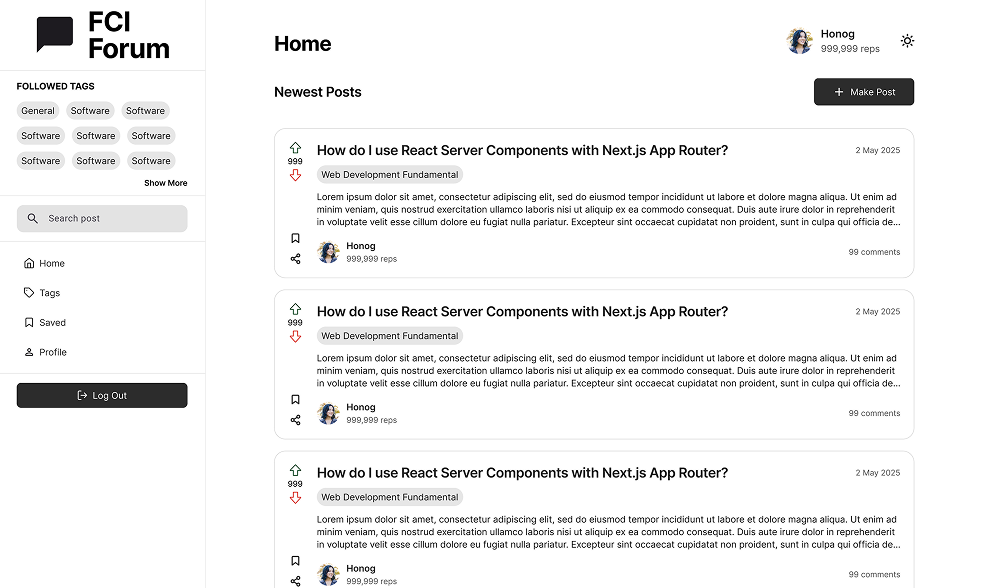
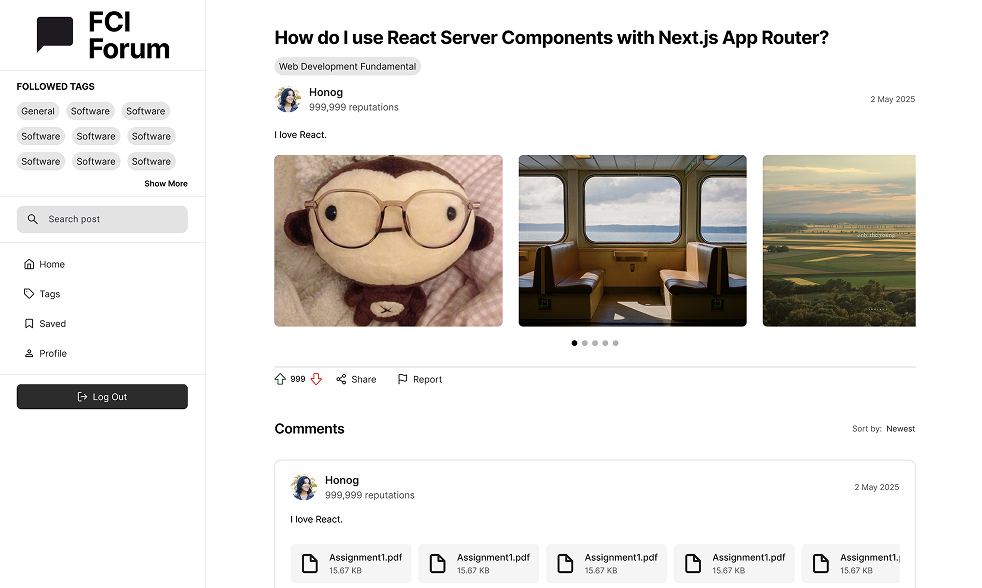
Early version of the platform highlighting initial design direction
I first had a talk with the original developers on what they were looking for, what they had hoped for bringing me in, and what they envision the product to look like by the end of this.
These were their core issues
I then did some research to identify why it felt that way
I started by looking at existing forums to
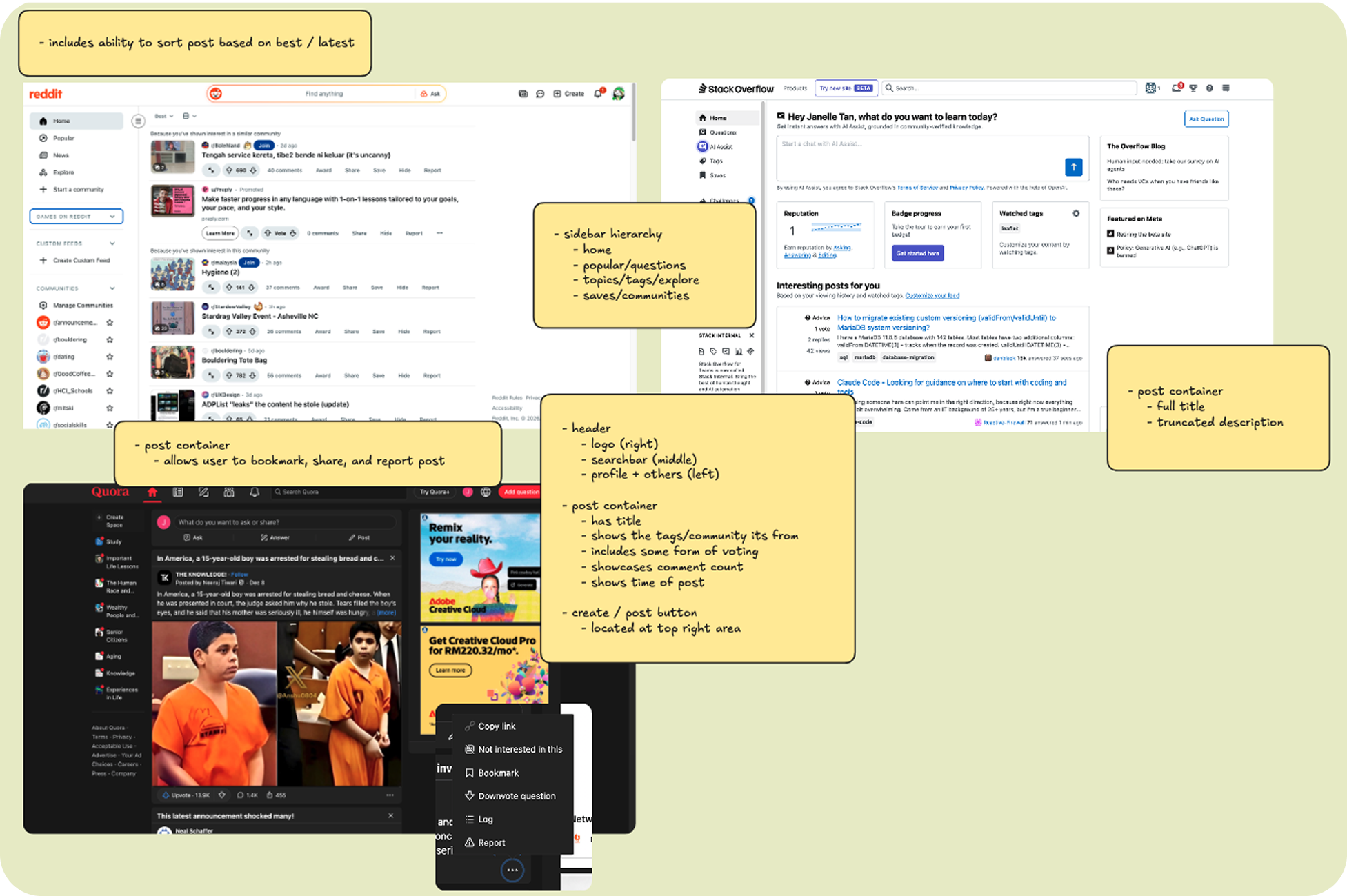
From there, I
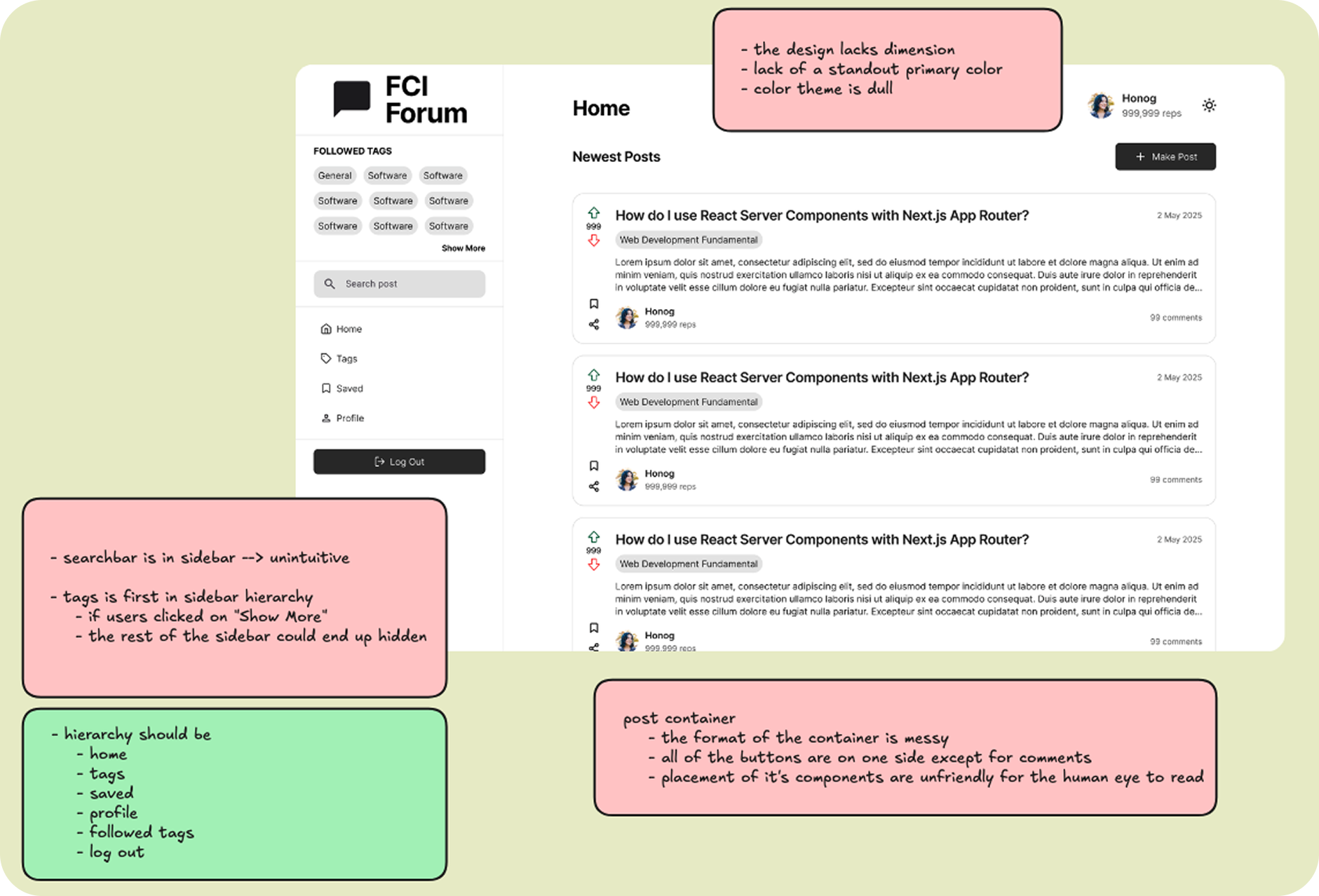
The forums lacked a personality, so we wanted to give it one.
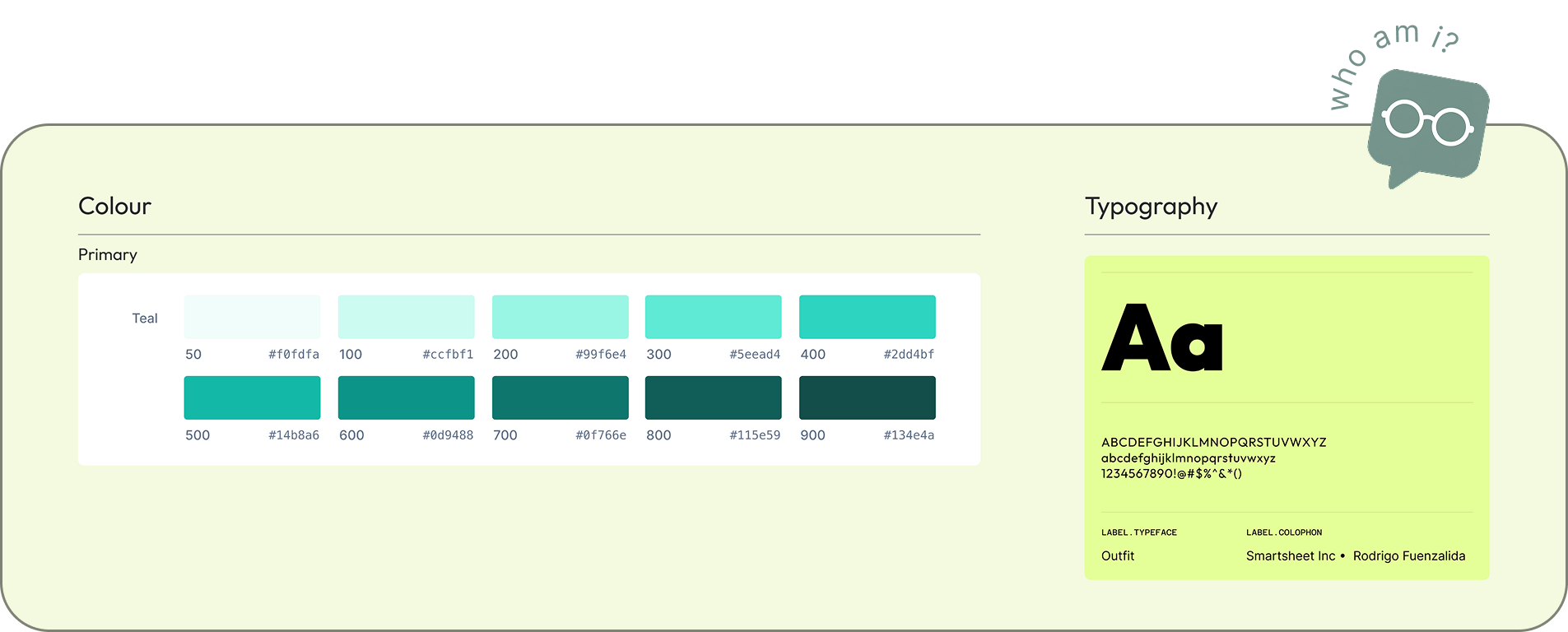
I knew what we wanted the platform to feel welcoming and approachable, so teal was chosen as the primary color and Outfit was selected as the typeface.
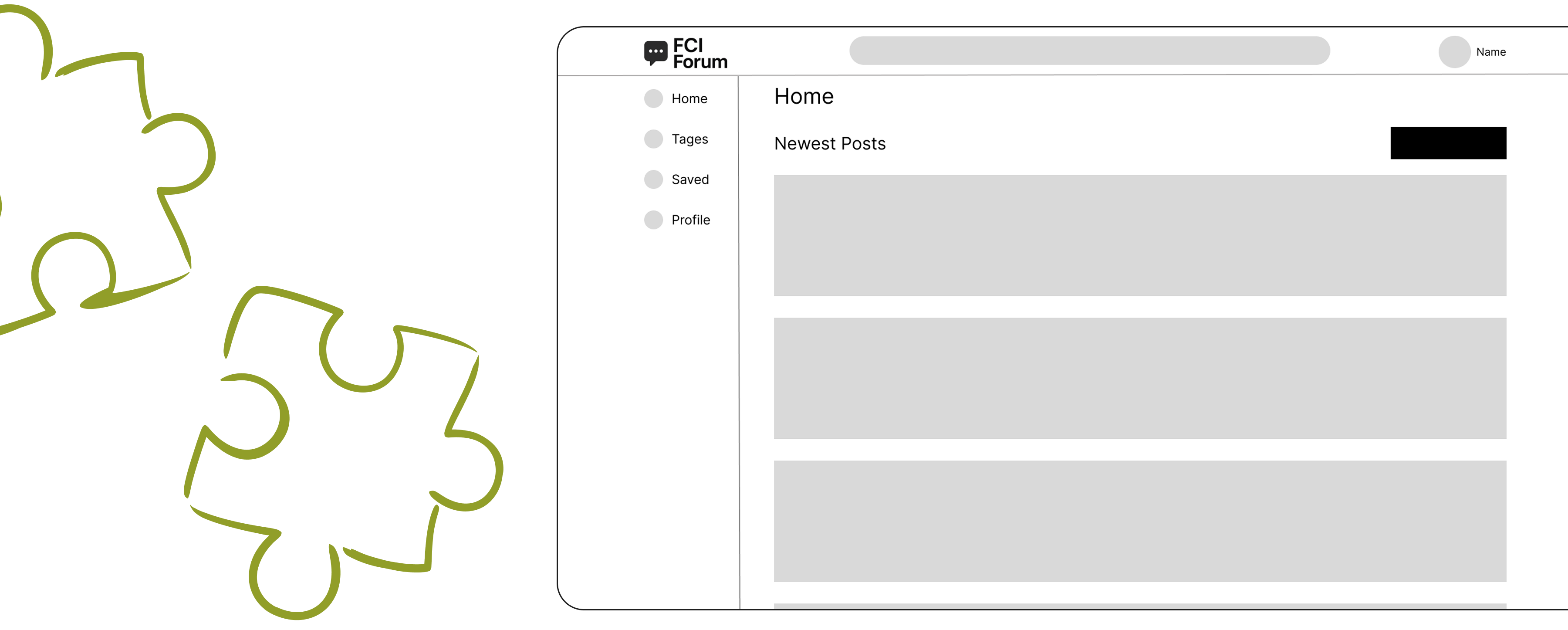
First, wire framing was used to figure out how we could apply layout changes, like moving the search bar to the top and restructuring the sidebar hierarchy
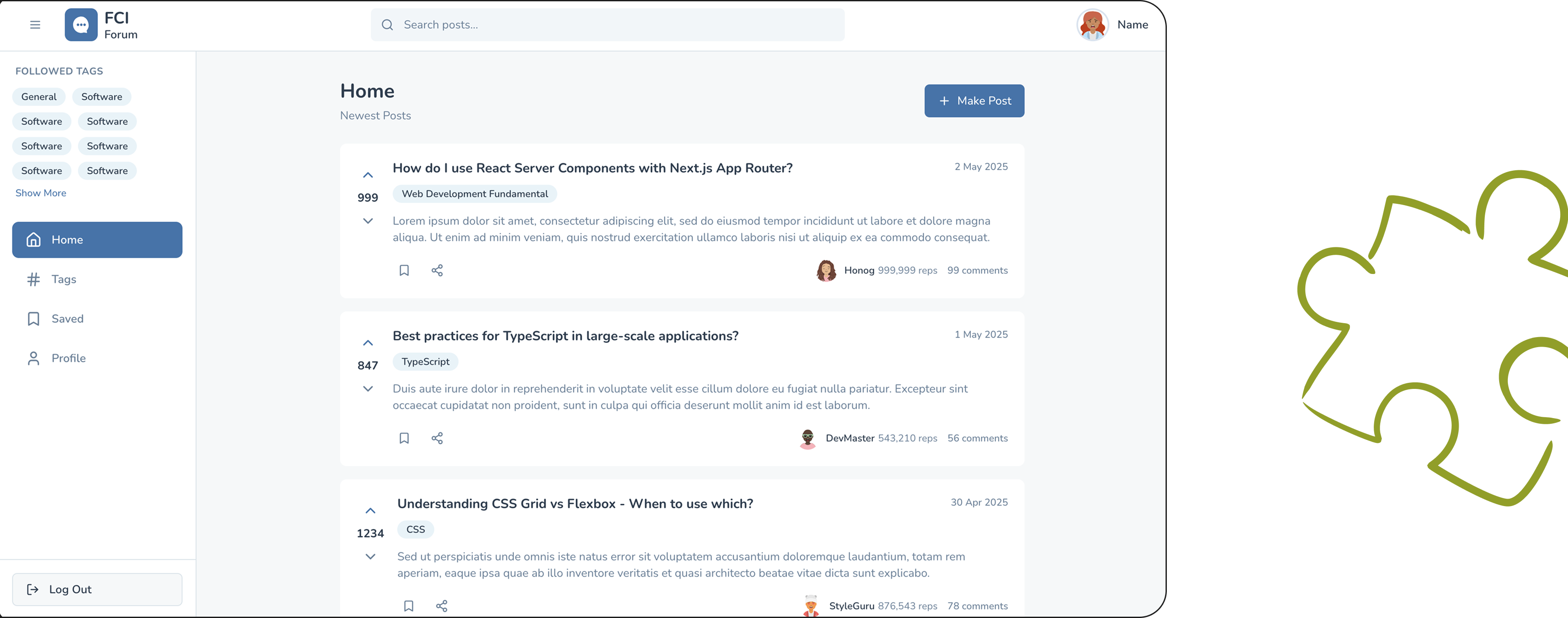
Then AI was used to quickly explore and envision how we could implement the changes.
This was done by prompting AI with the original design, the wireframes, and what we wanted to try out.
and now
Now with all of the preparation in place, I could get started on the fun part: Designing!
Designed the first prototype with Figma and brought it up to the team. Development started based on this version, with features being added progressively as needs came up.
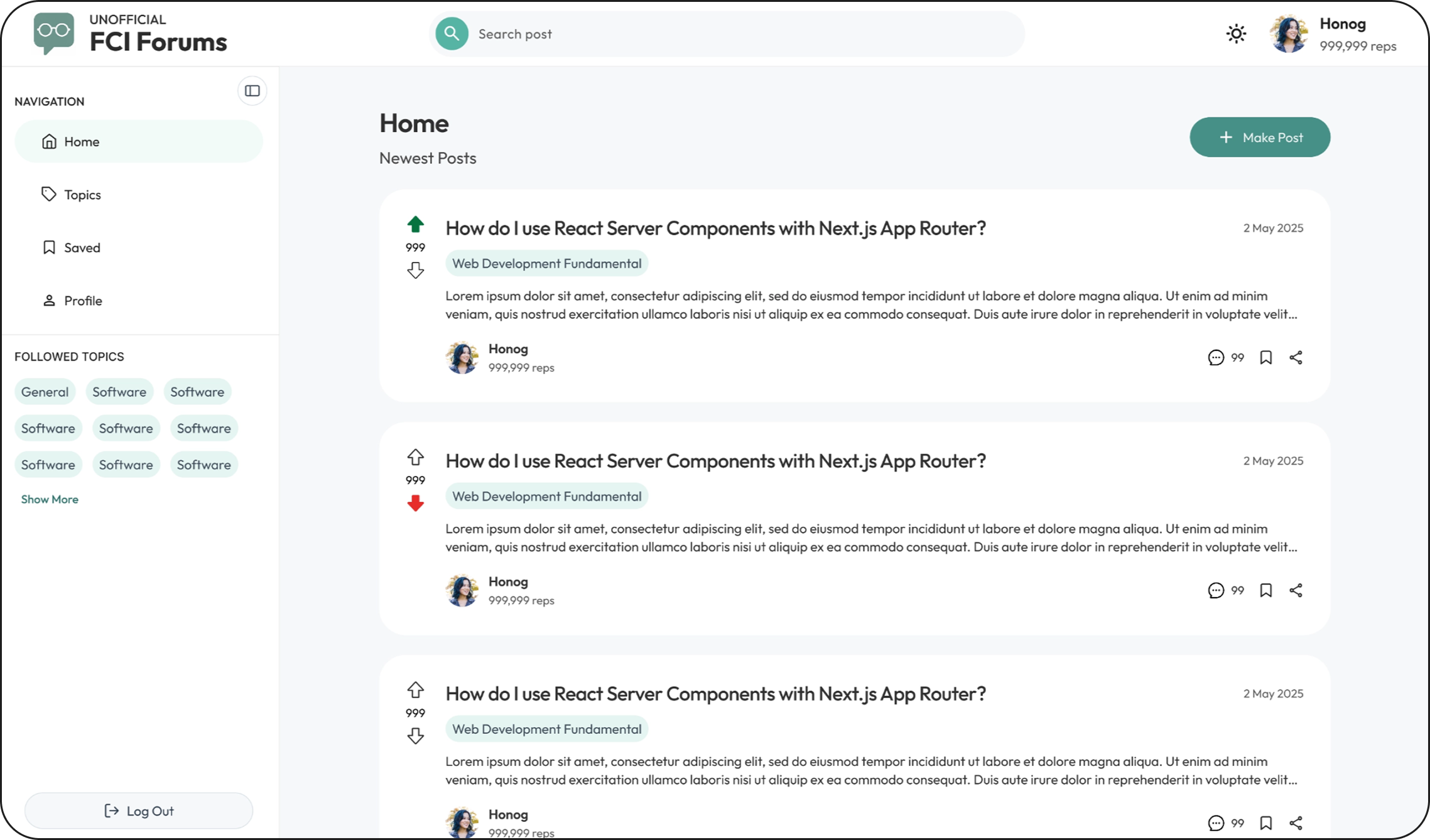
Refined version with improved layout, clearer hierarchy, and added features such as filtering, making it easier to navigate and more aligned with how students would actually use the platform.
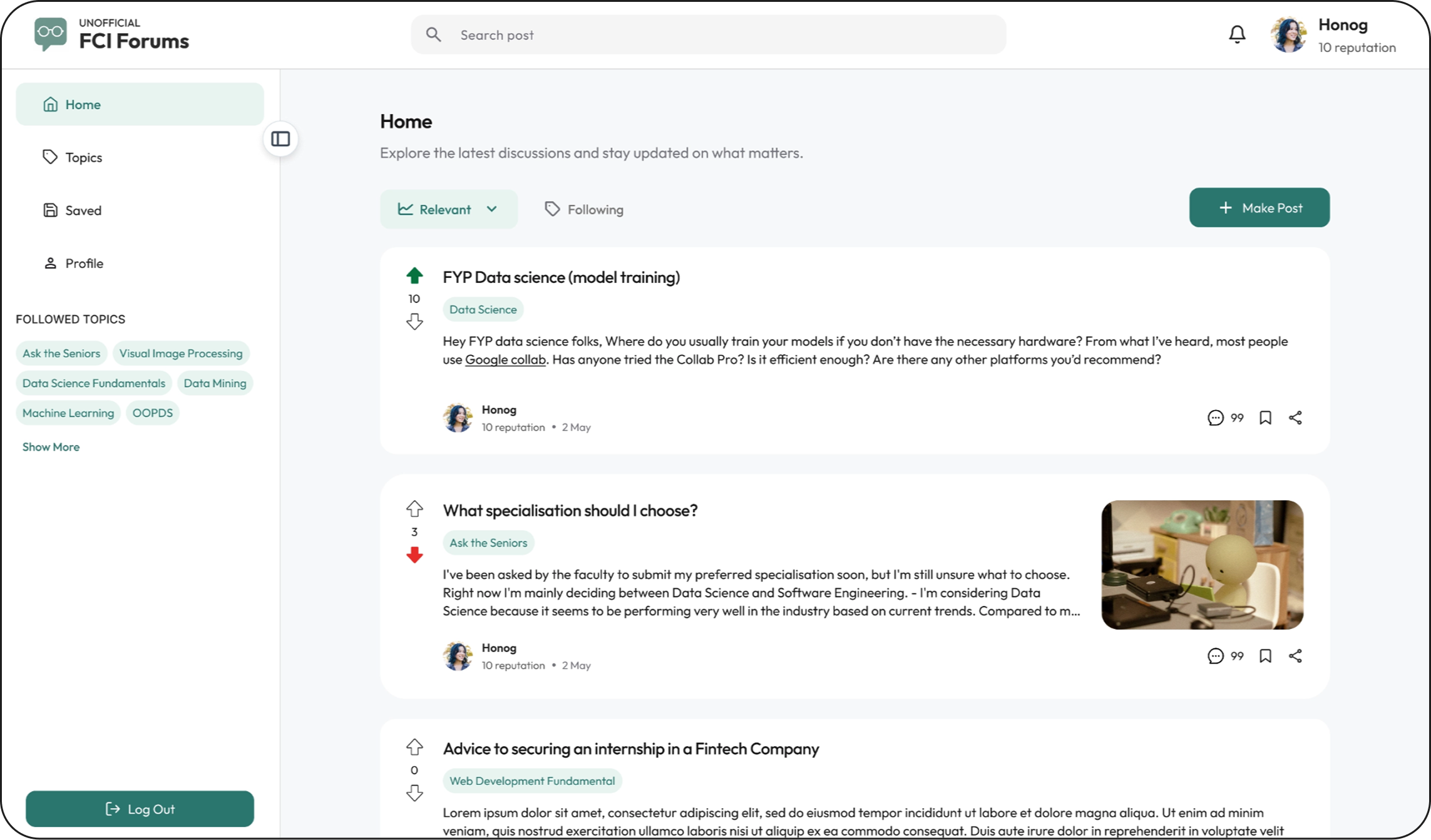
I managed to get the home page to a point where it matched what they had in mind!
The other pages hadn’t been designed yet, and I was low on bandwidth because of university.
At the same time, the other developers had already graduated and wanted to wrap things up and get the project deployed.
beep boop
What they would do was use the design of the home screen as reference and utilise AI to generate the relevant pages following the same design style.
Whenever they got stuck, they’d drop the designs in the group, and I’d step in from there to help refine and guide the direction.
By iterating this way across each page, we eventually brought everything together and completed the full website.
The project is still ongoing. We’re actively promoting the platform, gathering user feedback, and continuously refining the experience to make it better for students.
This experience was especially meaningful to me because it was my first time truly leading the design direction of a project.
One of the biggest changes I noticed in myself was the confidence I developed over time:
It was incredibly rewarding to see a project I genuinely cared about get deployed and used by real users. More than anything, this experience helped me find my voice as a designer and trust the decisions I make.
Want to see more?
 Unofficial FCI Forums


